POS System Automation: How to Streamline Your Business Operations in 2026
Discover how POS system automation can simplify sales, inventory, reporting, and daily business operations while helping your business grow in 2026.

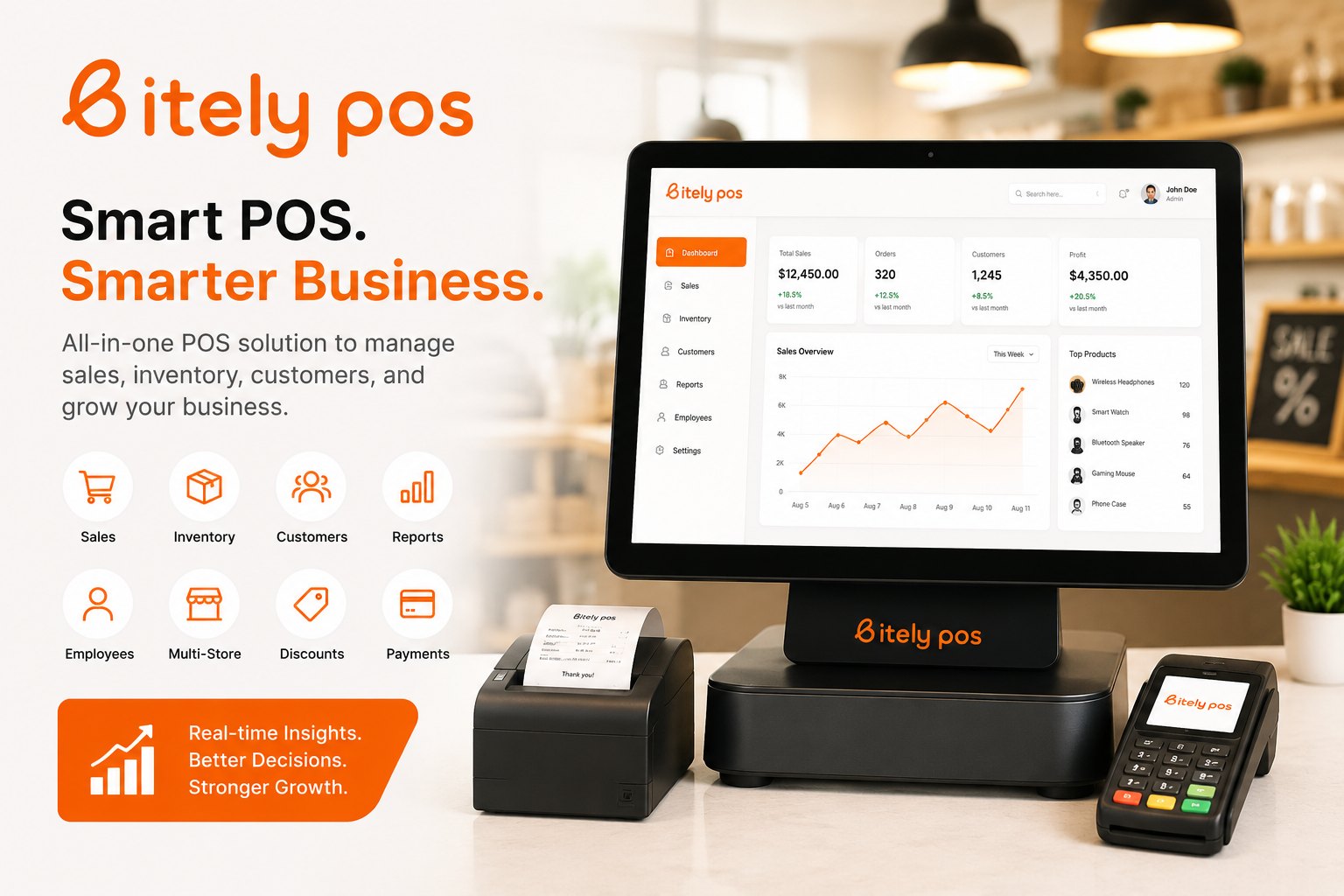
Managing a growing business requires more than simply processing transactions. Business owners need to keep track of sales, inventory, customers, employees, payments, and performance while delivering a smooth experience to every customer.
This is where POS system automation can make a major difference. A modern Point of Sale system can automate repetitive tasks, centralize important business information, and give teams better control over everyday operations.
In 2026, businesses are increasingly moving away from disconnected tools and manual processes toward smarter systems that connect sales, inventory, reporting, and customer management in one place.
What Is POS System Automation?
POS system automation means using modern Point of Sale technology to automatically handle repetitive business tasks that would otherwise require manual work.
Instead of employees manually recording every sale, updating stock, preparing reports, and calculating business performance, an automated POS system can perform many of these processes automatically.
POS automation connects your transactions with the rest of your business operations so that important information can move automatically between sales, inventory, reporting, and customer management.
Why POS Automation Matters for Modern Businesses
Manual processes may work when a business is small, but they can quickly become difficult to manage as transaction volume, inventory, employees, and customers increase.
A modern POS system can reduce unnecessary manual work while improving the accuracy and availability of business information.
1. Faster Transaction Processing
One of the most immediate benefits of POS automation is faster checkout. Employees can search for products, apply prices or discounts, process payments, and complete transactions from a single interface.
Faster transactions reduce customer waiting times and allow employees to focus more on providing better service.
2. Automated Inventory Updates
Inventory management is one of the most important areas where automation can save time.
When a product is sold, an automated POS system can update the inventory record. This gives business owners a clearer view of available stock without requiring employees to manually update spreadsheets after every transaction.
- Monitor current stock levels
- Identify fast-moving products
- Detect low-stock items
- Reduce manual inventory updates
- Improve purchasing decisions
Connect sales and inventory data whenever possible. Knowing what has been sold and what remains in stock helps businesses make faster and more accurate purchasing decisions.
3. Real-Time Sales Reporting
Business owners need accurate information to make good decisions. Traditional reporting methods often require employees to collect information from different sources before preparing a report.
With POS automation, sales information can be collected as transactions happen and presented through organized reports.
Depending on the POS platform, businesses may be able to monitor:
- Daily sales
- Weekly revenue
- Monthly performance
- Best-selling products
- Sales by category
- Sales by employee
- Payment methods
- Transaction history
How POS Automation Improves Inventory Management
Poor inventory management can result in two common problems: businesses either run out of popular products or hold too much stock that does not sell.
An automated POS system provides businesses with better visibility into product movement and inventory levels.
Track Product Performance
Sales data can show which products are generating the most demand. This information can help businesses prioritize popular products and improve purchasing decisions.
Reduce Stock Issues
Monitoring inventory levels can help businesses identify products that are approaching low-stock levels before they become a problem.
Understand Slow-Moving Products
Inventory reports can also identify products that are not selling as expected. Businesses can then review pricing, promotions, product placement, or purchasing strategies.
POS Automation and Customer Experience
Automation is not only about making internal operations easier. It can also improve the customer experience.
Customers expect quick checkout, accurate pricing, reliable transactions, and professional service. A well-designed POS system helps employees complete these tasks efficiently.
The goal of business automation is not to replace people. It is to remove repetitive work so people can focus on customers, service, and growth.
How POS Systems Help Manage Employees
Employee management becomes increasingly important as a business grows. Multiple employees may need different levels of access to sales, inventory, reports, and administrative features.
A modern POS system can provide role-based access and employee management tools that help business owners maintain better operational control.
- Create individual employee accounts
- Set user permissions
- Monitor transaction activity
- Review employee sales performance
- Maintain transaction records
POS Automation for Different Business Types
Retail Stores
Retail businesses can use POS automation to connect products, inventory, transactions, customers, and reporting. This makes it easier to manage large product catalogs and daily sales.
Restaurants
Restaurants require fast and accurate order processing. POS technology can help organize orders, payments, menu items, and sales information.
Small Businesses
Small businesses can benefit from automation by reducing repetitive administrative work and gaining access to organized sales data.
Growing Businesses
Businesses planning to expand should consider POS software that can scale with additional products, employees, and locations.
Key Features to Look for in a POS System
Not every POS system provides the same capabilities. Before selecting a solution, businesses should evaluate the features that matter most to their operations.
- Sales Management: Fast and reliable transaction processing.
- Inventory Management: Real-time visibility into products and stock levels.
- Reporting: Clear insights into sales and business performance.
- Employee Management: User accounts, permissions, and activity tracking.
- Customer Management: Tools for organizing customer information.
- Scalability: The ability to support future business growth.
- Ease of Use: An interface employees can learn and use efficiently.
Cloud-Based POS and Business Automation
Cloud-based POS technology has changed how businesses access and manage operational information.
Instead of keeping all business information tied to a single physical device, cloud-based systems can provide more flexible access to business data depending on the platform and configuration.
This can be particularly useful for businesses with multiple locations or teams that need centralized visibility.
How to Automate Your Business With a POS System
Implementing POS automation does not need to happen all at once. Businesses can start with their most time-consuming processes and gradually improve their operations.
Step 1: Identify Manual Tasks
Start by identifying repetitive tasks such as inventory updates, sales reporting, transaction recording, and product management.
Step 2: Choose the Right POS Platform
Select a POS solution based on your business type, product volume, employees, locations, reporting requirements, and growth plans.
Step 3: Organize Your Products
Create accurate product records with names, prices, categories, inventory information, and other relevant details.
Step 4: Train Your Team
Employees should understand how to process transactions, manage products, handle customer information, and use the features relevant to their roles.
Step 5: Monitor Your Data
Once the system is running, regularly review sales, inventory, and performance reports to identify opportunities for improvement.
Common POS Automation Mistakes to Avoid
Choosing a System Only Because It Is Cheap
Cost is important, but selecting a POS system based only on price can create problems later if essential features are missing.
Ignoring Ease of Use
A system with many features is not useful if employees cannot operate it efficiently. Always consider usability and training requirements.
Not Planning for Growth
Your business may expand in the future. Choose technology that can support additional products, employees, customers, and locations.
Ignoring Data Security
Business and customer information should be handled responsibly. Review the security features, access controls, and data practices of any POS platform before implementation.
Benefits of POS System Automation
When implemented correctly, POS automation can provide several operational benefits.
- Reduce repetitive manual tasks
- Improve sales processing speed
- Increase inventory visibility
- Improve reporting accuracy
- Support better business decisions
- Improve customer service
- Provide better employee control
- Support business growth
Final Thoughts
POS system automation is becoming an important part of modern business operations. By connecting sales, inventory, reporting, employees, and customers, a modern POS solution can reduce unnecessary manual work and provide better visibility into how a business is performing.
The right POS system should not simply process payments. It should help your team work more efficiently, give business owners useful information, and provide a foundation for future growth.
Ready to Simplify Your Business Operations?
Explore how a modern POS solution can help you manage sales, inventory, reporting, and daily operations from one platform.
Get Started →Article FAQ
Let's Discuss YourPOS GoalsLet's Discuss Your POS Goals
Tell us what you'd like to automate and our POS advisors will recommend the best path for you.
Find the Perfect POS Solution for Your Business
Share your requirements below and our POS specialists will curate a tailored plan for you.


SPEED | CONTROL | GROWTH
Visit Our Office
Lahore, Punjab, Pakistan
Working Hours
Mon - Sat: 09:00 AM - 08:00 PM
24/7 Support
Dedicated Team Ready